HSSE APPS // FIELD REPORTING
Hazard Report
Report hazards and near misses from a phone, then follow every corrective action through to closure.
OVERVIEW
What This Application Does
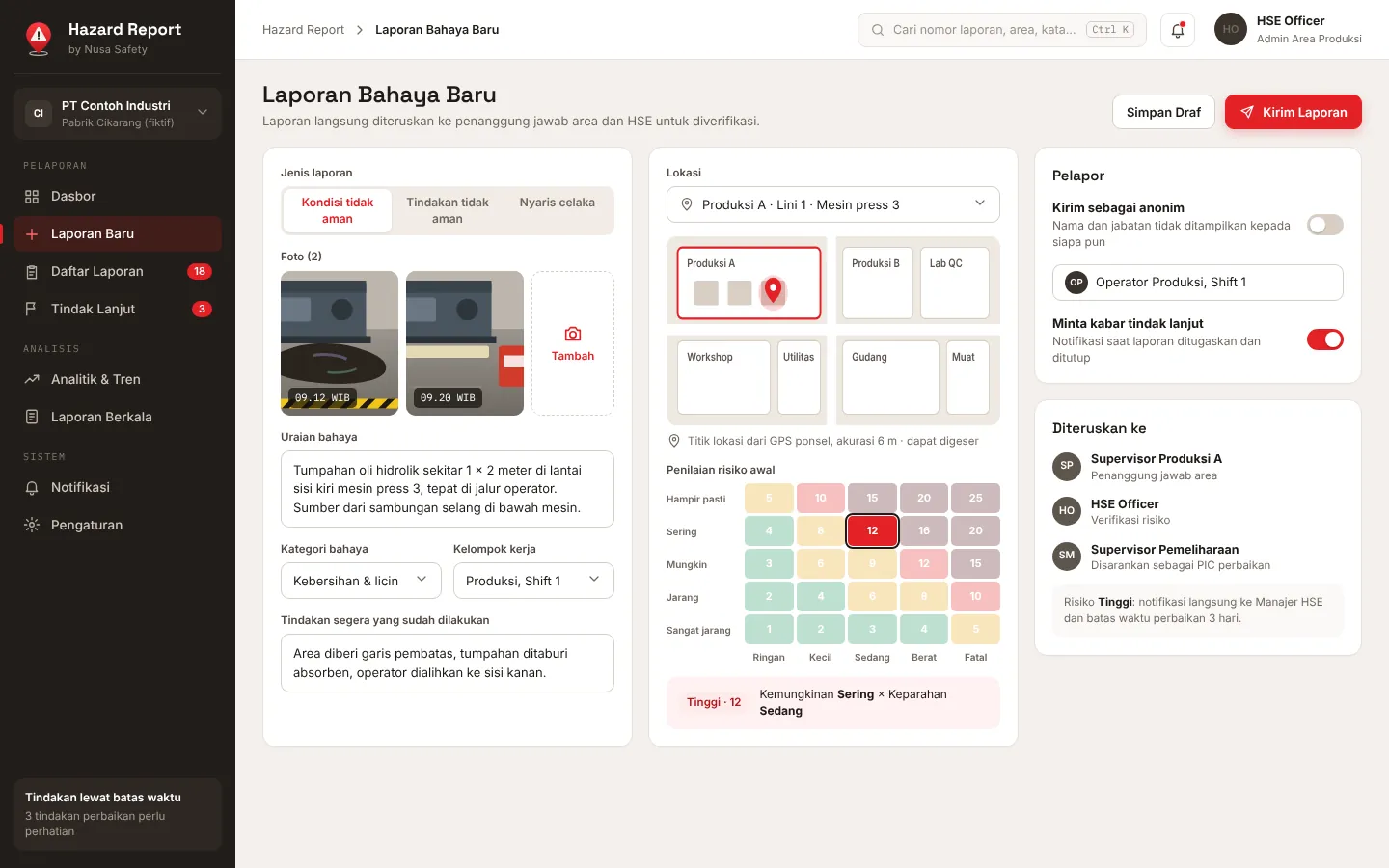
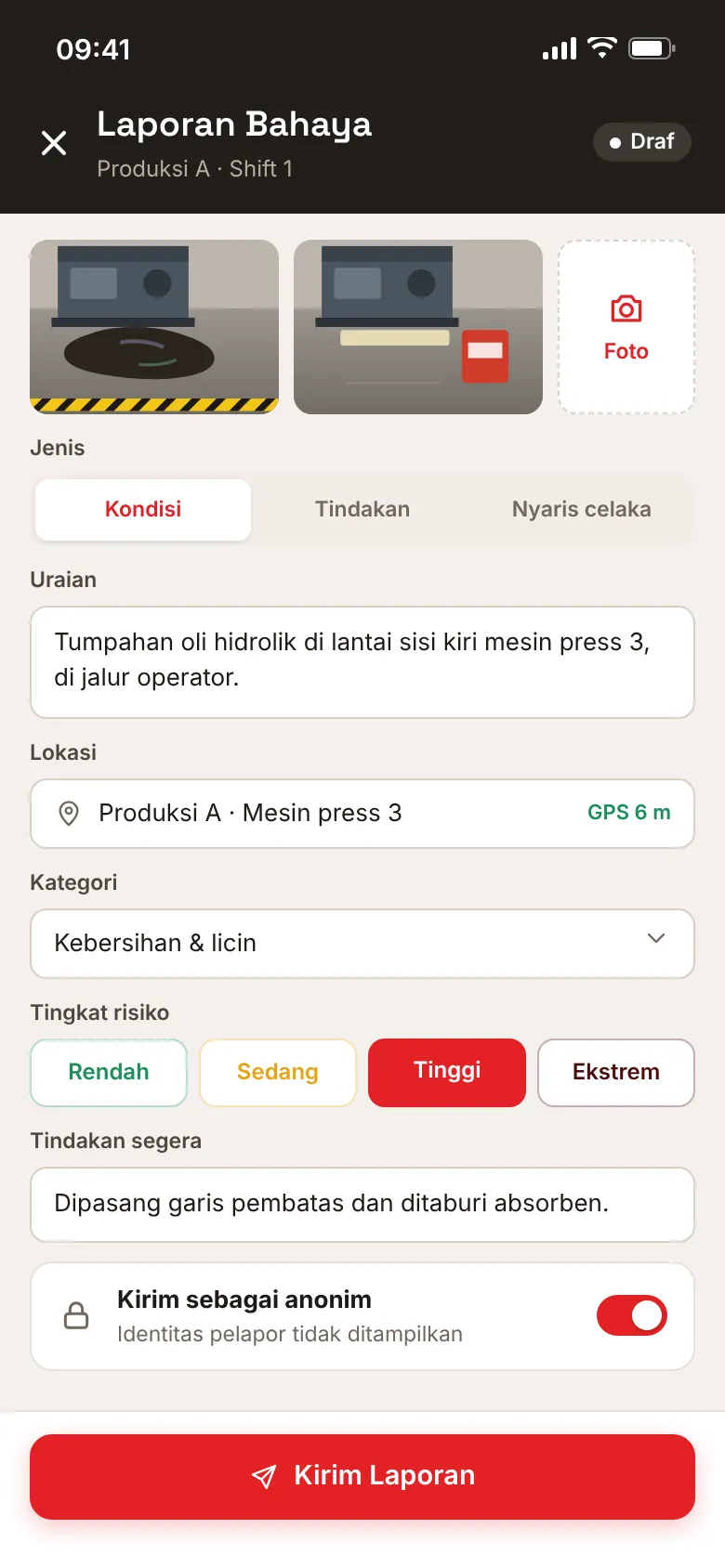
Hazard Report lets anyone on site report an unsafe condition, an unsafe act or a near miss from a phone: photos, the location on the site plan, the hazard category, an initial risk rating on a likelihood and severity matrix, and the immediate action already taken. Reports can be sent anonymously, so people can speak up without worrying about who will read them.
Each report goes to the person responsible for the area for verification, then to an assigned owner who carries out the corrective actions by their due dates. Notifications follow the report from submission to closure, and overdue actions are escalated. Dashboards show trends by area, work group and hazard category, and monthly reports can be downloaded or sent automatically to management and the P2K3. Nusa Safety configures the categories, areas, risk matrix and workflow together with the client team as part of a consulting engagement.
- Platform
- Web browser on phone and desktop
- Report types
- Unsafe condition, unsafe act, near miss
- Risk matrix
- 5 x 5 likelihood and severity, adjustable to the client's own risk criteria
- Reporter identity
- Named or anonymous
- Exports
- PDF and Excel
- Interface language
- Indonesian
- Delivery
- Configured with the client team as part of a consulting engagement; demo on request
- Screens on this page
- Design mockups with fictional sample data
FUNCTIONS
Built Around Real Workflows
Each function below replaces a step that used to run on paper, spreadsheets, or chat groups.
Reporting from a phone
Photos, description, category and immediate action captured on site, with the location taken from the phone.
Three report types
Unsafe condition, unsafe act and near miss, each with its own categories.
Location on the site plan
Reports are pinned to areas and points on the site plan for follow-up and analysis.
Risk rating
Initial rating on a likelihood and severity matrix, verified by HSE and used to set due dates.
Anonymous option
The reporter's name and job title can be hidden from everyone, including in reports and exports.
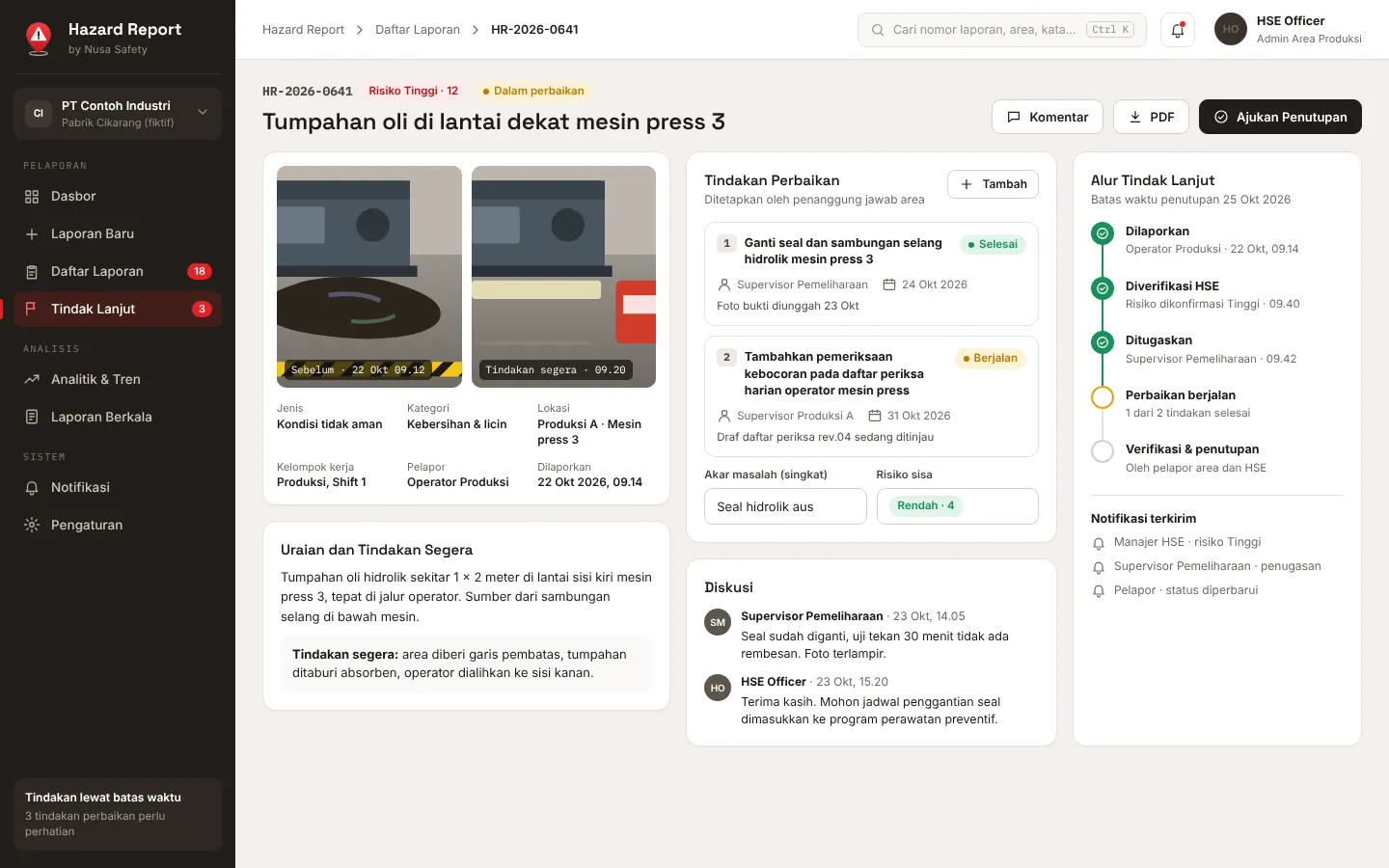
Assignment and corrective actions
Each report is assigned to an owner with one or more corrective actions, due dates and photo evidence.
Follow-up workflow
Reported, verified, assigned, in progress, verified and closed, with a full history and comments.
Notifications and escalation
Alerts for high-risk reports, assignments, due dates and status changes, with escalation of overdue actions.
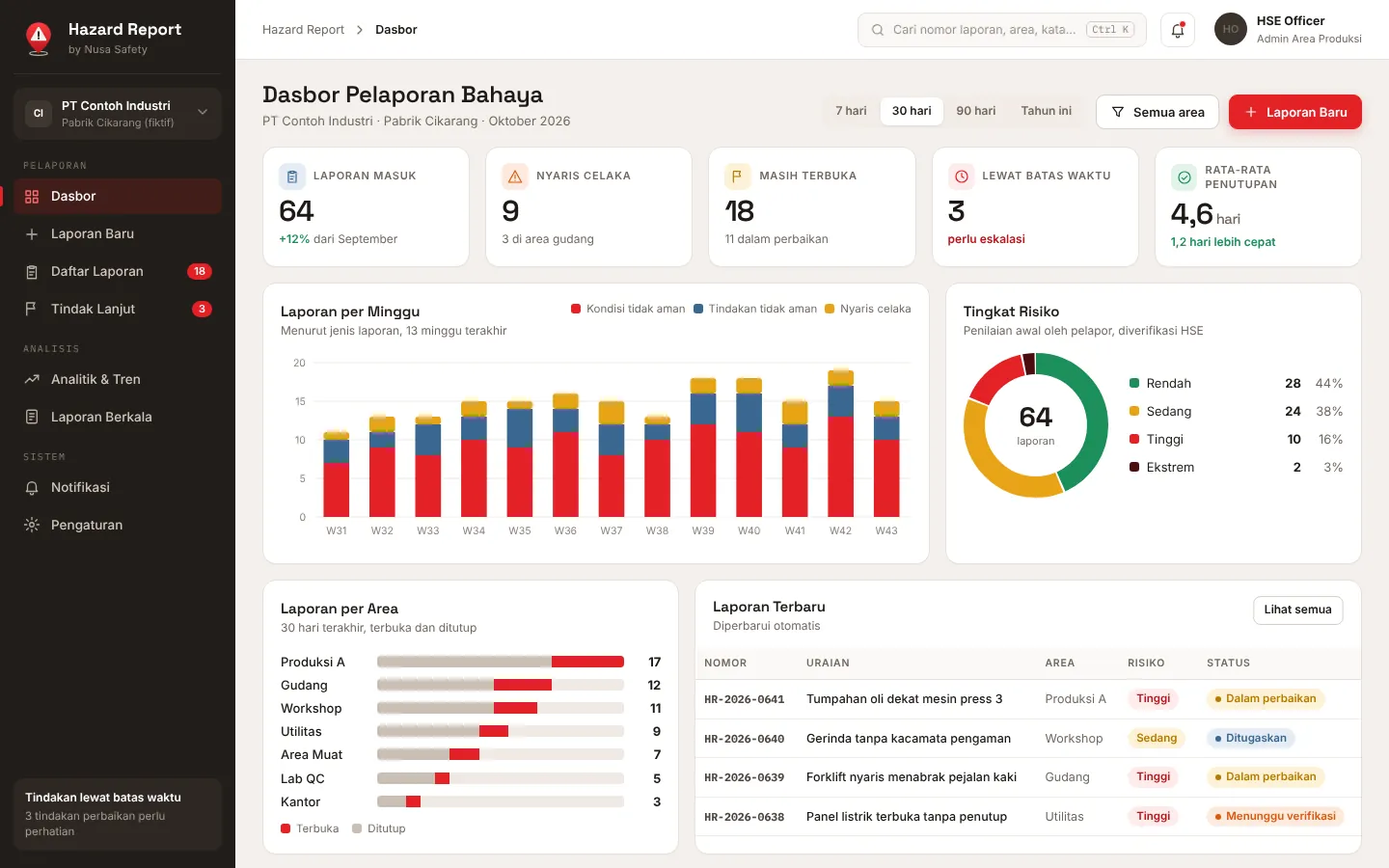
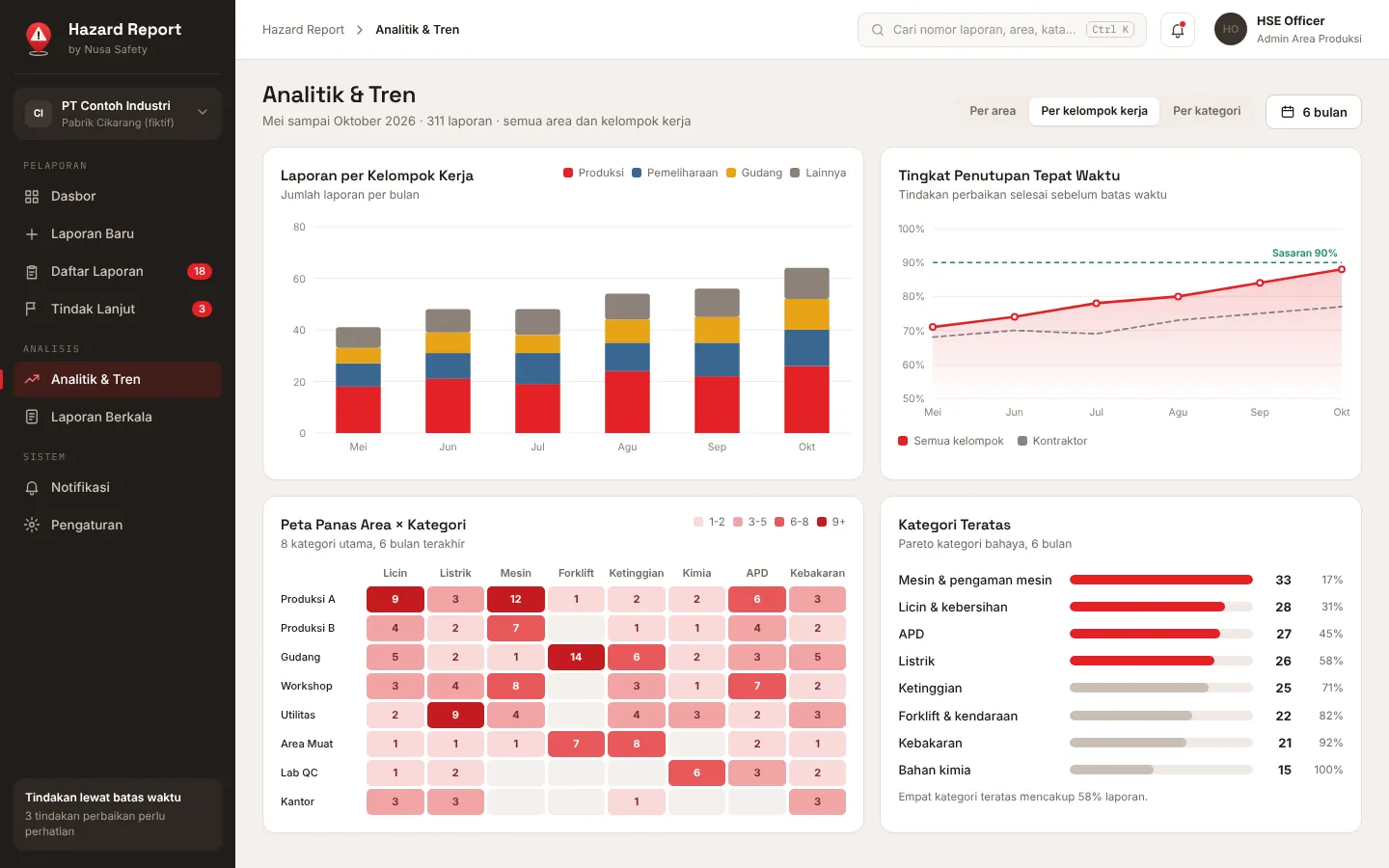
Dashboards by area and work group
Weekly trends, risk levels, open and overdue actions, and on-time closure by area and work group.
Heat map and Pareto
Area by category heat map and a Pareto of hazard categories to focus inspections and campaigns.
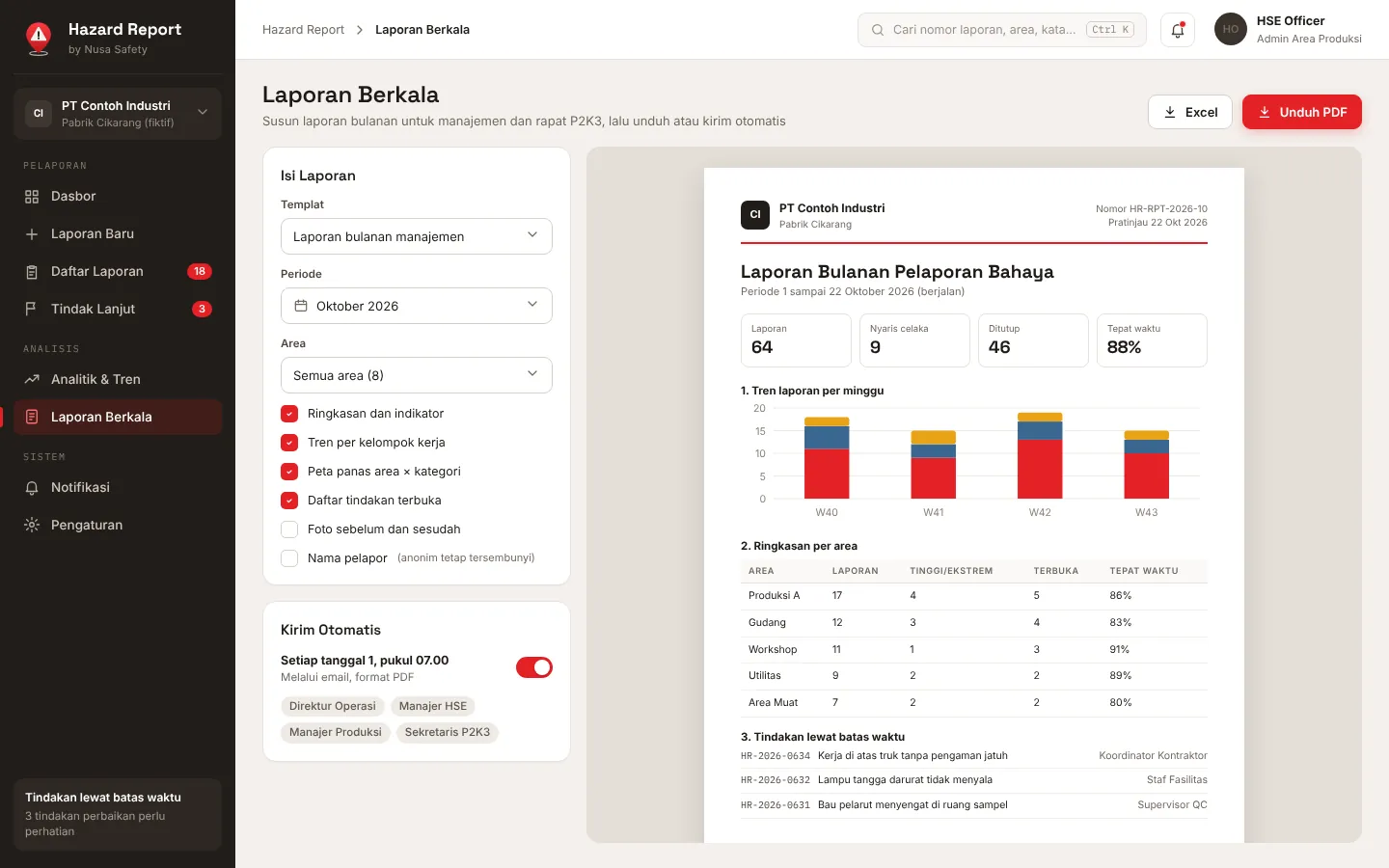
Periodic reports
Monthly report in PDF or Excel, downloaded or sent automatically to management and the P2K3.
INTERFACE
A Look Inside

MORE FROM NUSA SAFETY
Other HSSE Apps

APEX Risk
Enterprise Risk ManagementEnterprise risk intelligence, from field hazard studies to board decisions.
View product
AIRA
AI Risk AssessmentAI-assisted BowTie risk assessment, from guided interview to audit-ready report.
View product
LOTO Simulator
Training SimulatorFirst-person lockout tagout training on realistic oil, gas and manufacturing sites.
View product